Network Extension Enablement Overview
Introduction
Integrated AIOps supports services that extend the base function of the I-AIOps service in the form of an extension that enables extended services. This expansion capability promotes a more holistic view of and influence on your IT estate than would be possible with I-AIOps alone.
This enablement framework positions I-AIOps as a centralized service that integrates with other existing services that do a related set of things well. It increases the capability of the base service without significantly increasing the service footprint or complexity.
Extension Service is an Integration Framework and part of the Integrated AIOps Kyndryl Delivery Platform also known as Kyndryl Bridge. An Extension is anything that extends the function of the platform.
The Extension Service provides a modular self-service marketplace where any integration base code or software can be hosted on the platform. Each extension is essentially a template that describes some finite integration method.
More information on extension Service can be found at the following link:
ExtensionsExtensions
It is important to understand there are two types of extensions:
- Dedicated
- Shared
Dedicated extensions are those activated by an account for integration with dedicated tools or data sources specific to that account. These extensions are expected to be managed and supported by the account. Education for skilling up the account resource can be found at the following link:
Shared extensions are those activated at the dataplane level on behalf of the region for integration with common shared tools or data sources. Kyndryl ServiceNow is an example of a shared extension. In shared extensions, individual account do not run the extension; the regional dataplane runs the extension.
Supported extensions
The extension framework, called Extension Service, has been added as a catalog to which you can navigate from the I-AIOps home page, through the Enablement menu. The catalog lists all supported extensions in the form of interactive tiles each of which provides details and allows users with the correct roles to add and configure the extensions for the I-AIOps account that you are using.
Enabling specific extensions
To enable an extension, navigate to the Enablement page:
1. In I-AIOps, click the hamburger icon to display a dropdown navigation menu.
2. Click Enablement. The service navigates to the Common Catalog.
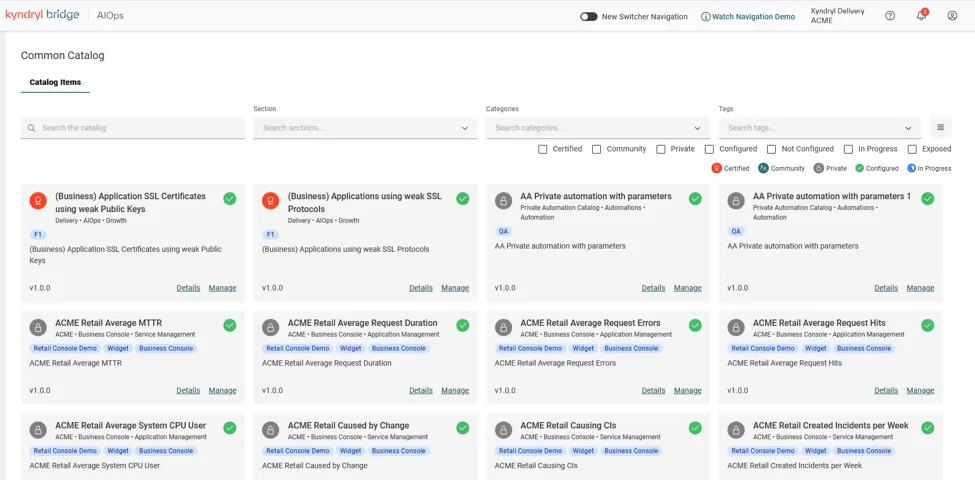
The catalog presents all supported extensions as well as other AIOPS common catalog items. To assist you with narrowing the number of displayed extensions, the catalog provides a search field, three multiselect filter fields, and an array of state filter fields.
The search field enables you to search for the extension by name, the filter fields provide logical groupings of extensions such as Network, and the state filters display all the extensions for a given set of states such as Configured.
Filter fields
The following are the filter fields:
- Section: Select the type of extension, such as Action, Automation, and Insights and those supported by base services such as AIOps.
- Categories: Select the class of extension, such as Application Management, Automation, Event Management.
- Tags: Select a tag from a dropdown menu to see only extensions that have been identified with a specific tag.
- For Network & Edge extensions, select Network from the Tags dropdown menu.
State filters
The following are the state filters:
- Certified: Extension that have been validated (security, function, and other criteria).
- Community: Extensions that are associated with a specific IT Community such as Security or Network.
- Private: Extensions that are private to the account of the extension creator.
- Configured: Extensions that have been configured after creation. Extensions instances can exist without being configured.
- Not Configured: Extension instances that are not yet configured.
- In Progress: Extension instances that have been created and are still being provisioned.
- Exposed: Catalog items that are exposed to external clients.
Extension Roles
I-AIOps extensions support the following actions necessary to maintain them and make them operational:
- Deploy
- Configure
- Start
- Stop
- View
- Update (when catalog item receives update, extension also present an option to update)
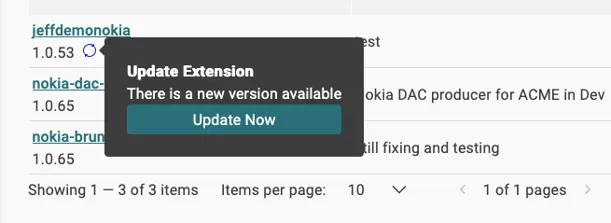
The following roles are required to perform these actions
- extension-editor: Deploy, Configure, Start, and Stop
- extension-editor-catalog: Deploy, Configure, Start, and Stop
- extension-operator group access: View, Start, and Stop
- extension-viewer: View-only
Follow the regular instructions to request access through ARMS, selecting the appropriate role within the extension service as shown:

More detailed instructions can be found at the following link:
Extension configuration
Before your extension can become operational, you must configure the extension. The extension details are provided in GitHub, which contains a readme file and a configuration script (yaml).
Use the following procedure to find extension details in GitHub:
- Find the extension for which you require details.
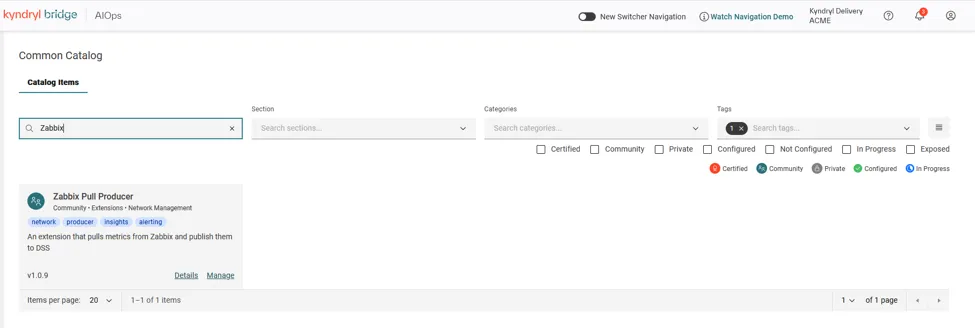
- Ensure the extension is permitted to be deployed to production.
- Click Details. The catalog navigates to the extension details page.
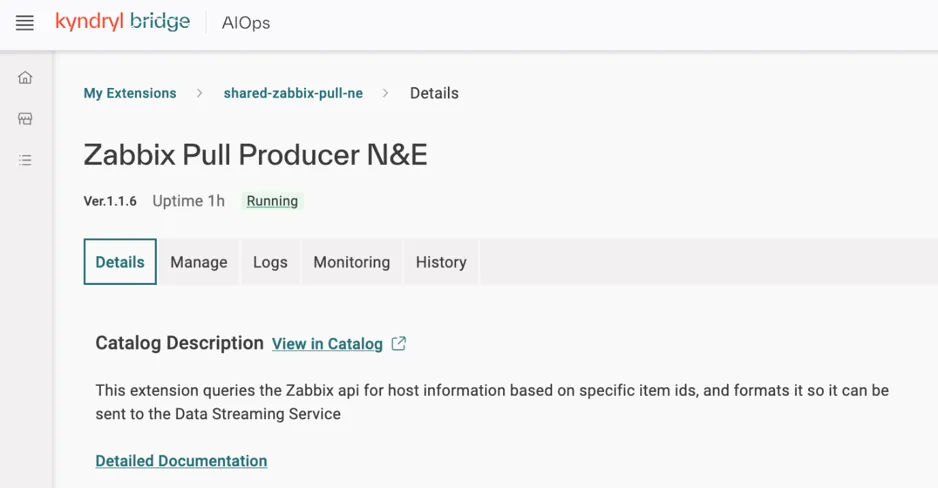
- Click Detailed Documentation. The catalog navigates to the GitHub extension documentation.
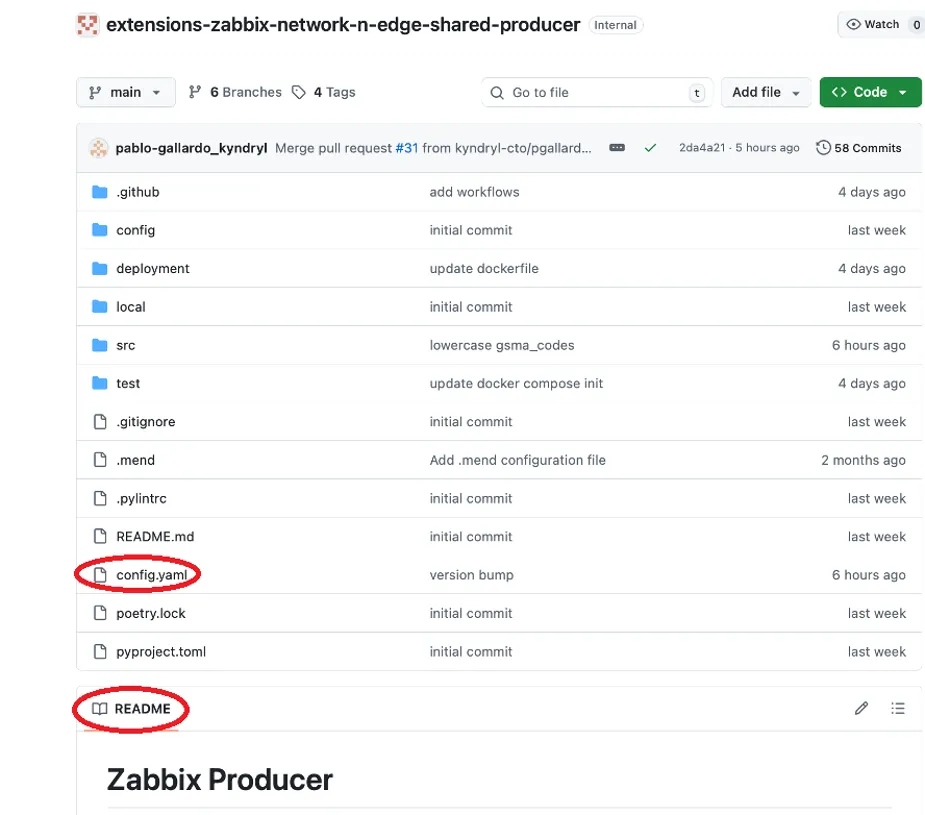
The yaml configuration file and the readme file are circled in red for your reference.
You can create multiple instances of the same extension, each of which is configured differently. Use the following procedure to view configuration details:
- Click the Manage link on the extension tile.
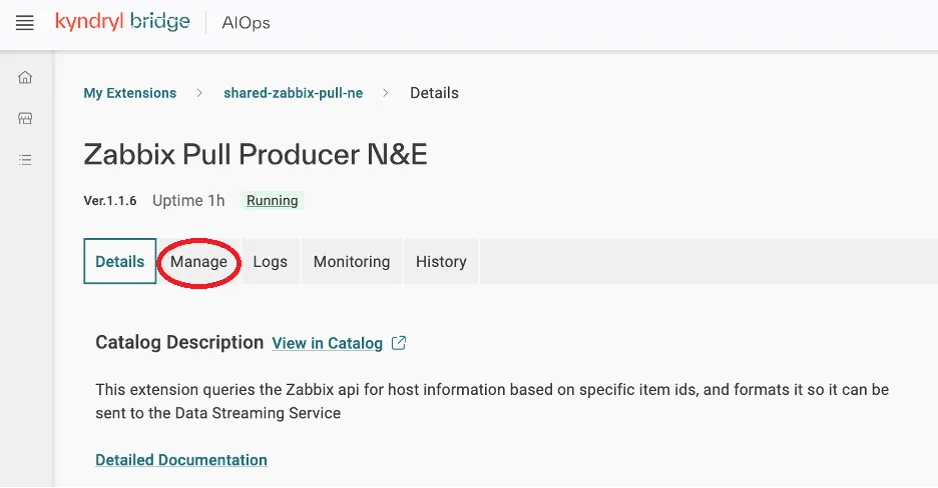
The catalog navigates to the extension Manage page, displaying instantiated extension.
- Click the instance of the extension to see configuration details.
You can also use this procedure to create a new instance of the extension.
- Click Manage on the Extension tile as you did in step 1 of the previous procedure. The service presents a blank configuration dialog:
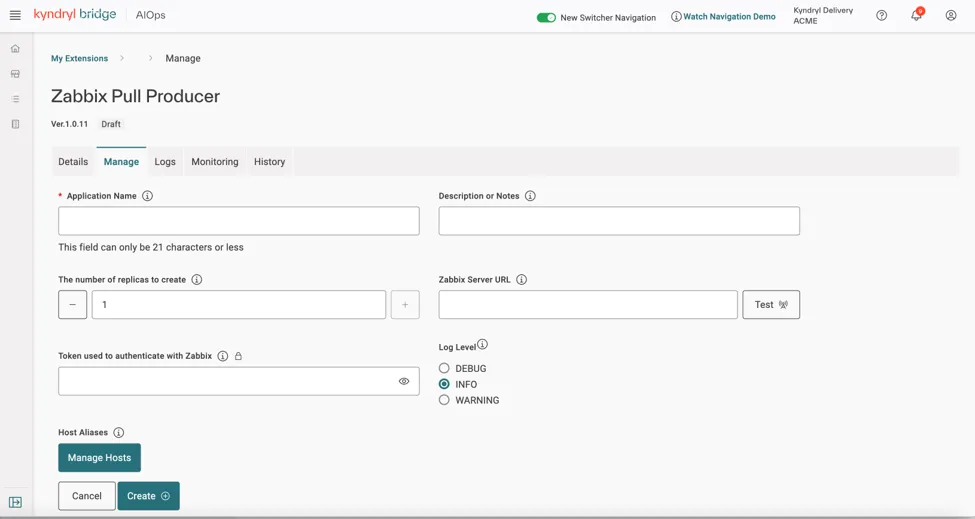
- Complete the configuration form.
- Click Create. The service will produce a confirmation dialog.
- Confirm the creation of a new instance. The service navigates to the My Extensions page:
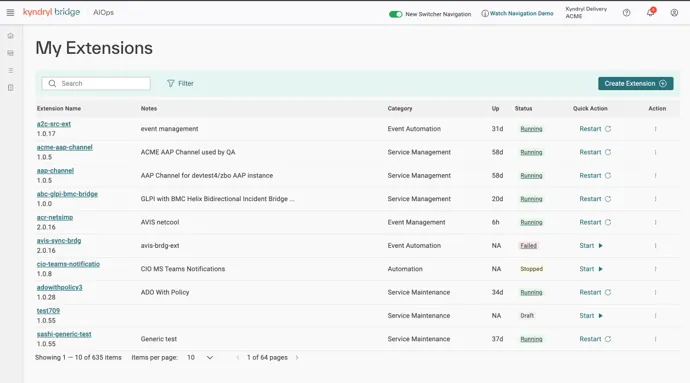
- Use the search bar to search for the extension instance by Extension name. The service displays a list of matches:
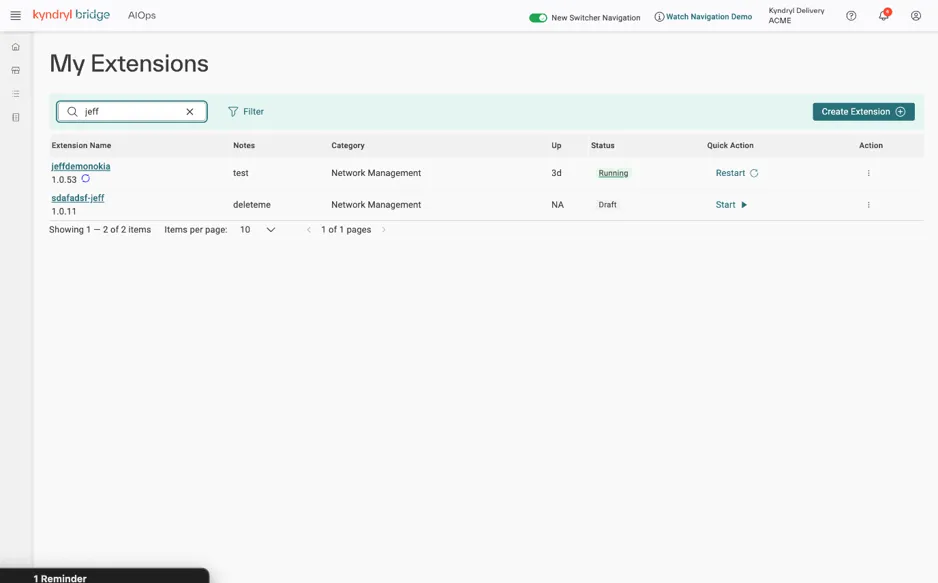
- Click Start for the new instance. The service starts the new Extension instance.
For more details on how to manage, support and maintain extensions please refer to the ExtensionsExtensions Services.