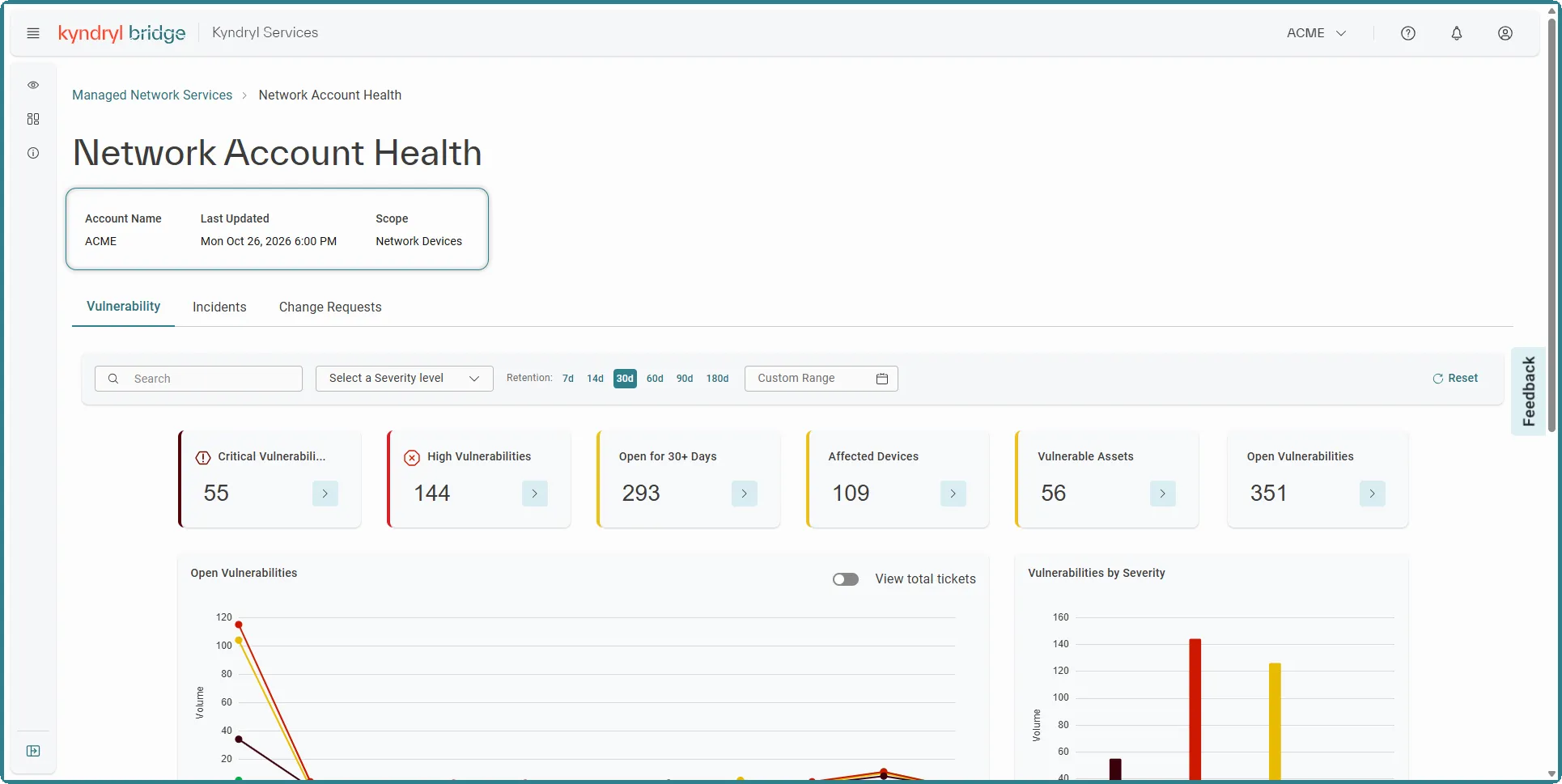
Network Account Health Dashboard
The Network Account Health dashboard provides visibility into vulnerabilities, incidents and change requests associated with network devices for the selected account. You can filter the information by severity and time period and review key metrics and charts to understand vulnerability volume, severity, affected devices, and vulnerable assets.
Accessing the Network Account Health dashboard
The Network Account Health dashboard has its own interface.
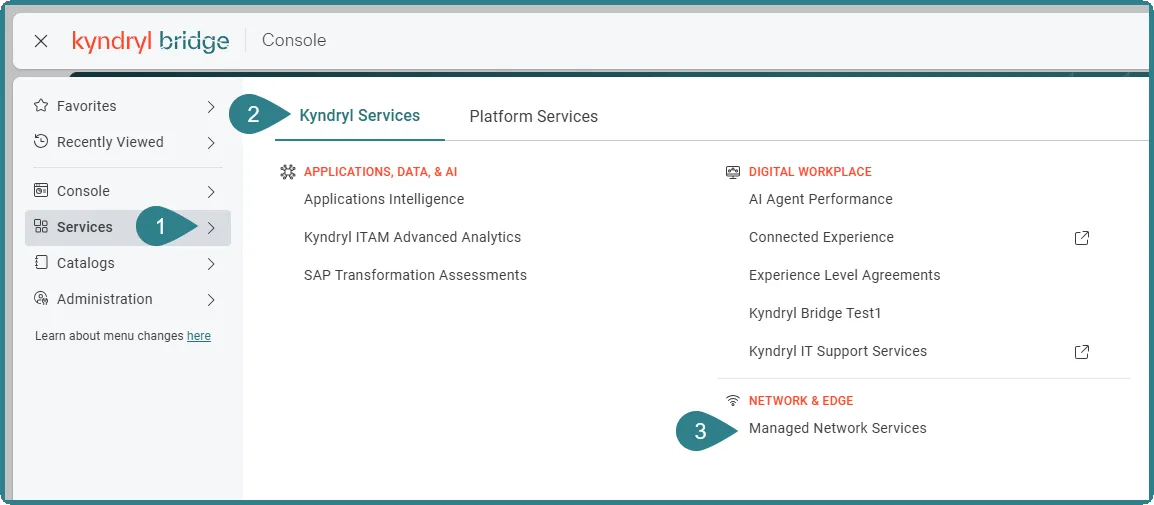
From the Kyndryl Bridge main menu  , go to Services→ Kyndryl Services→ Managed Network Services.
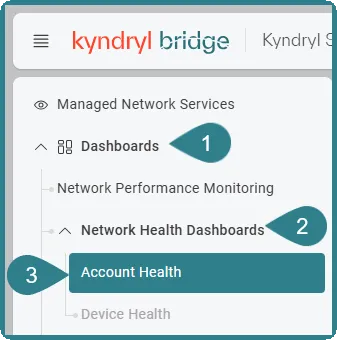
Once there, go to the left navigation bar and select Dashboards > Network Health Dashboards > Account Health.
General information
The general information section displays key details about the dashboard, including:
- Account Name: Specifies the account associated with the dashboard data.
- Last Updated: Displays the date and time when the dashboard data was last updated.
- Scope: Indicates the type of resources covered by the dashboard.