Console tour
Console tour is a virtual journey that introduces first-time users to the fundamental functionalities of Kyndryl Bridge . It is an experience designed to understand the navigation from Console across the entire Kyndryl Bridge. This tutorial provides information on the following topics:
- Navigation to Services Catalog
- Use of Account Switcher
- Location of Widgets
- Use of Services Switcher
- Navigation to help and support functionalities
- Introduction to CollabDrive
Accessing the Console tour
The tour is not available if you are on the Service Catalog page.
To access the tutorial, navigate to Console from the Global menu on the left side of the page.
- This action takes you to Console. If this is your first time accessing Console, the tour will automatically play.
- You can choose to:
- Begin the tour
- Skip the tour
- Not show the tour again
To revisit the tour, click the user profile icon on the top right side of the page and select Console Tour.
Console tour
The Console tour is a virtual journey that introduces users to the fundamental functions of Kyndryl Bridge. It is an experience designed to understand navigation fromConsole across Kyndryl Bridge.
Upon logging in to Kyndryl Bridge Console for the first time, a pop-up message appears with the Console tour details. Alternatively, you can find the Console Tour option available under the Support section for easier access.
The Console tour offers a personalized experience, allowing you to skip or turn off sections according to your preferences. The following options are available:
- Let’s Go: Launches a “Getting started with Console” guide, highlighting key features and navigation.
- Skip: Redirects to the “Help & Support” section of the tour. After clicking Done, the pop-up will not show again.
- Don’t show again: Prevents the pop-up from displaying on future logins.
- Close the pop-up without selecting the above options: Closing the pop-up will cause it to appear again on your next login.
This tutorial provides information on the following topics:
- Platform navigation
- Local navigation
- Manage dashboards
- Add and edit dashboards
- Switch workplaces
- Notifications Management
- Help and support
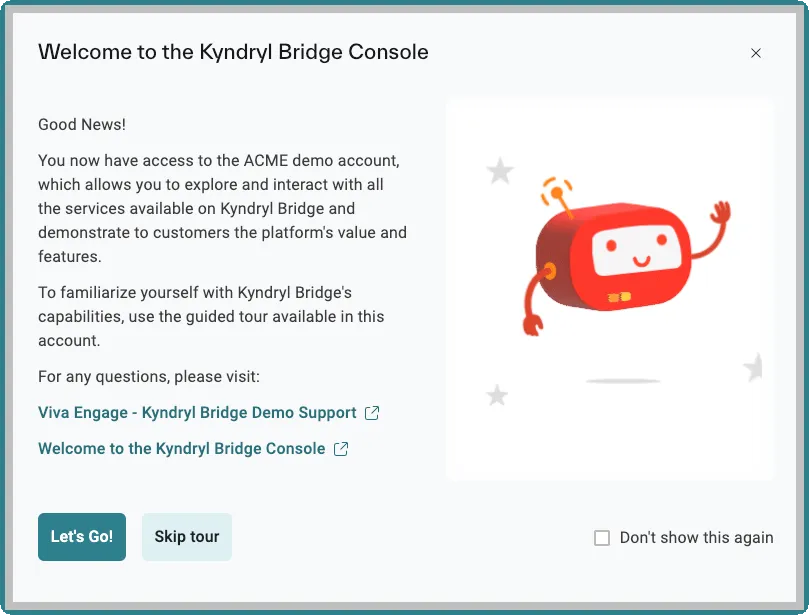
The Console tour provides the same tour experience across all account types, while showing different welcome pages for ACME and non-ACME users.