Change Requests Tab
The Change Requests tab provides visibility into change requests associated with network devices. Summary metrics and visualizations show open and closed change requests, resolution outcomes, change request types and success rate.
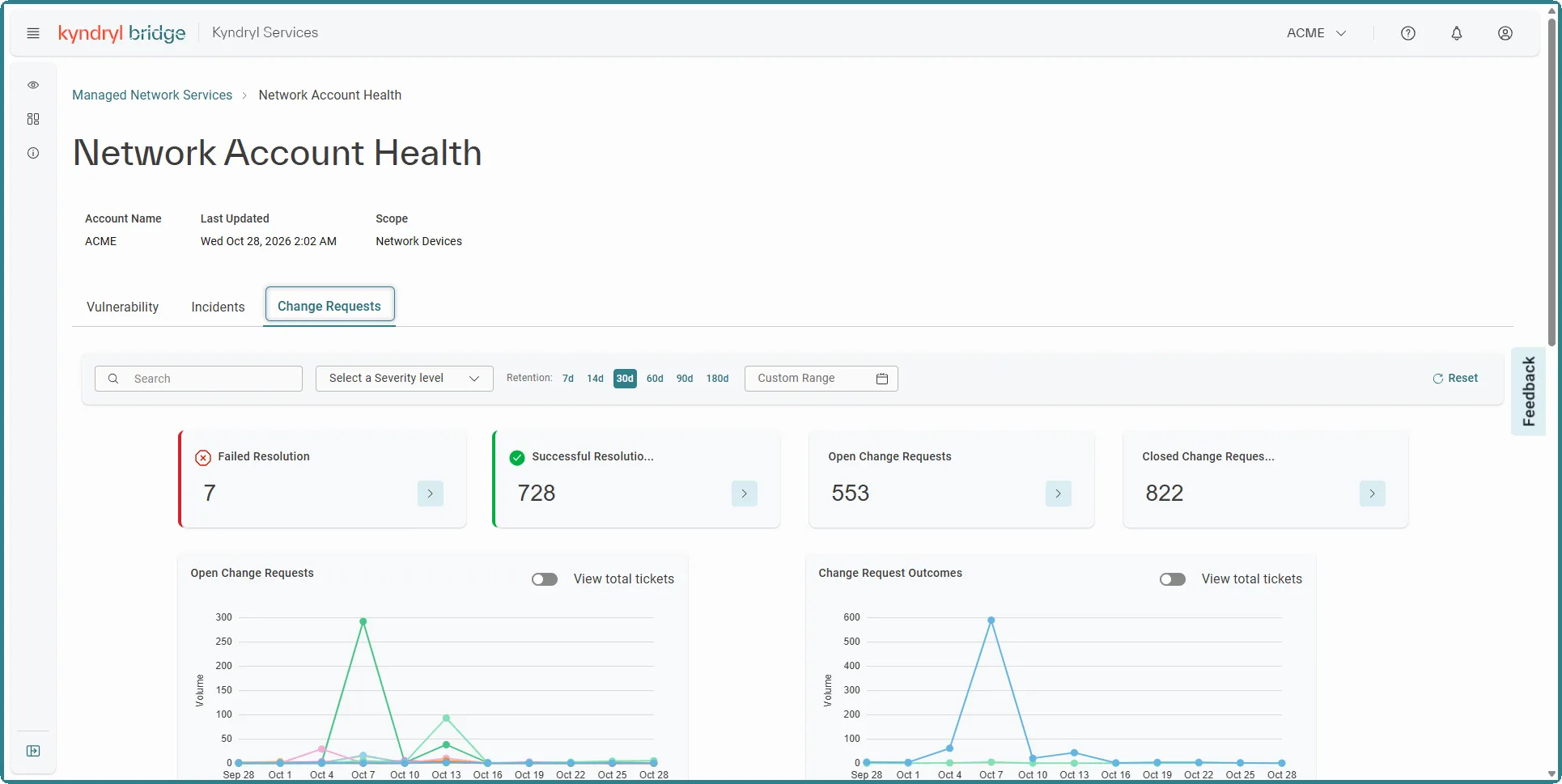
Key components
The Change Requests tab includes tools to search and apply different filters to narrow results. Under the general information, you find the global filter with the following tools:
- Search
- Severity level
- Retention period
- Custom Range
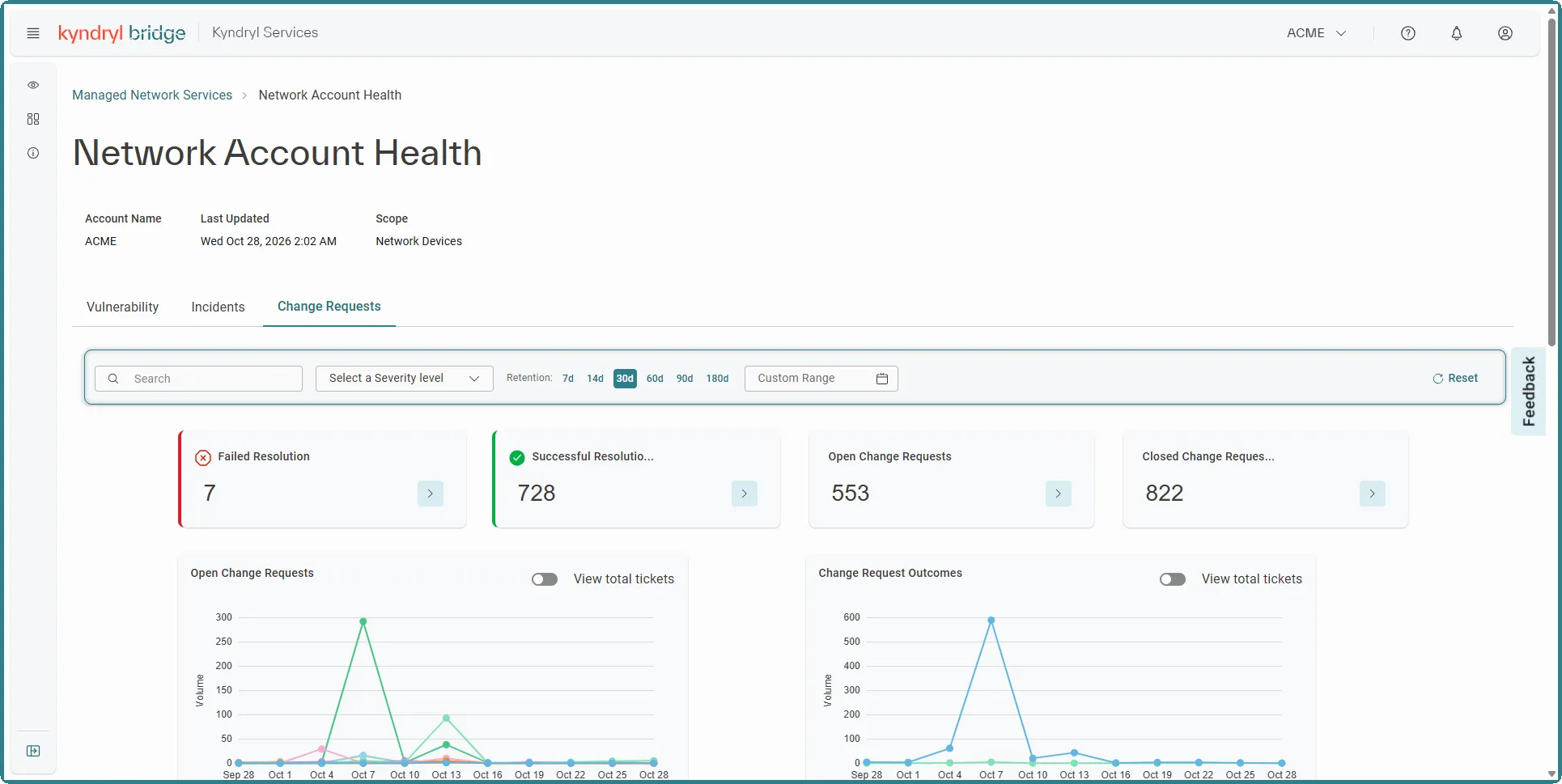
Search
The Search functionality is located at the beginning of the global filter. Use the Search box to locate specific information.
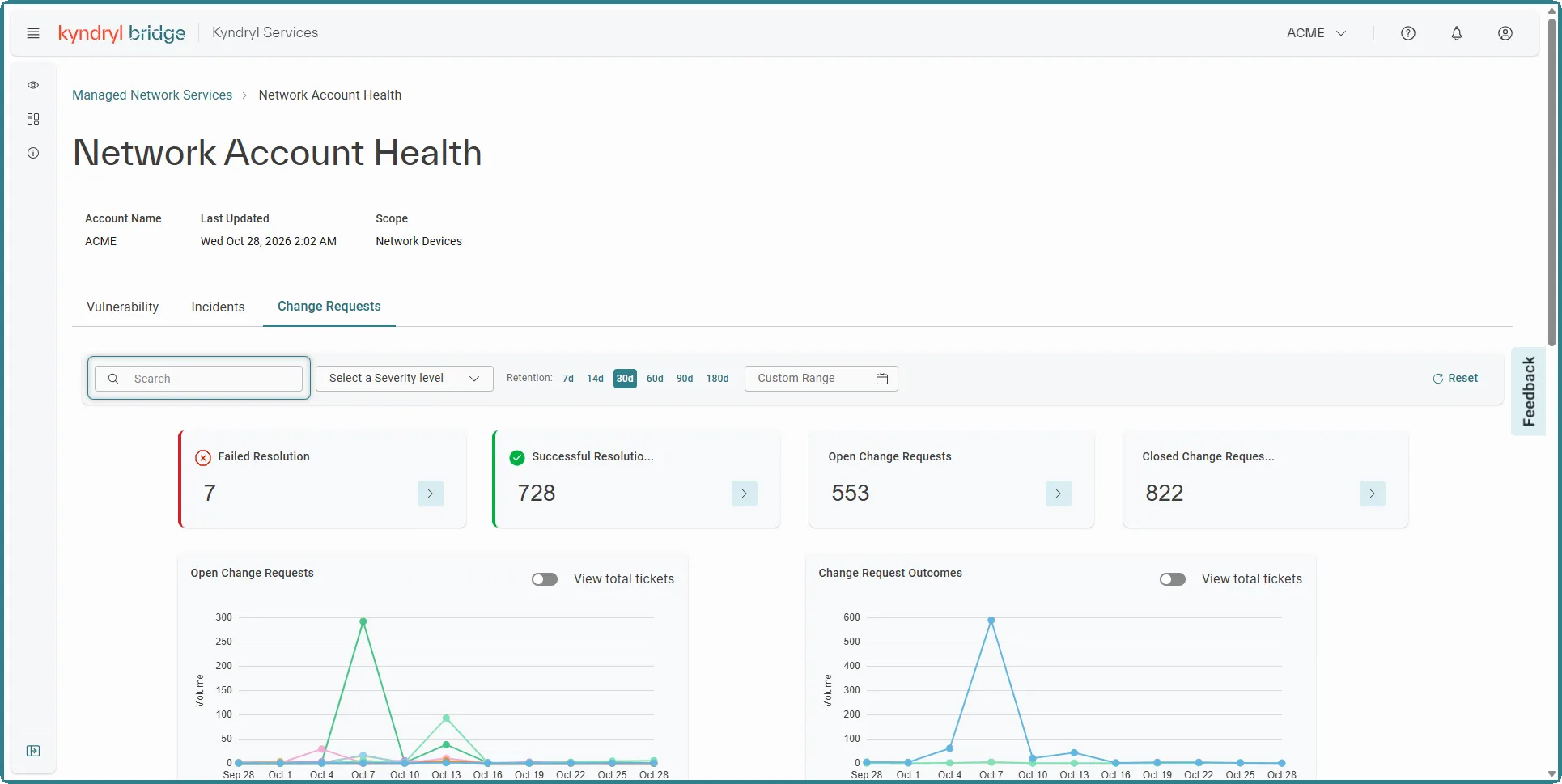
Severity level
The Severity Level filter is located in the global filter, next to the search box. You can select one option from the drop-down menu:
- All
- Critical
- High
- Medium
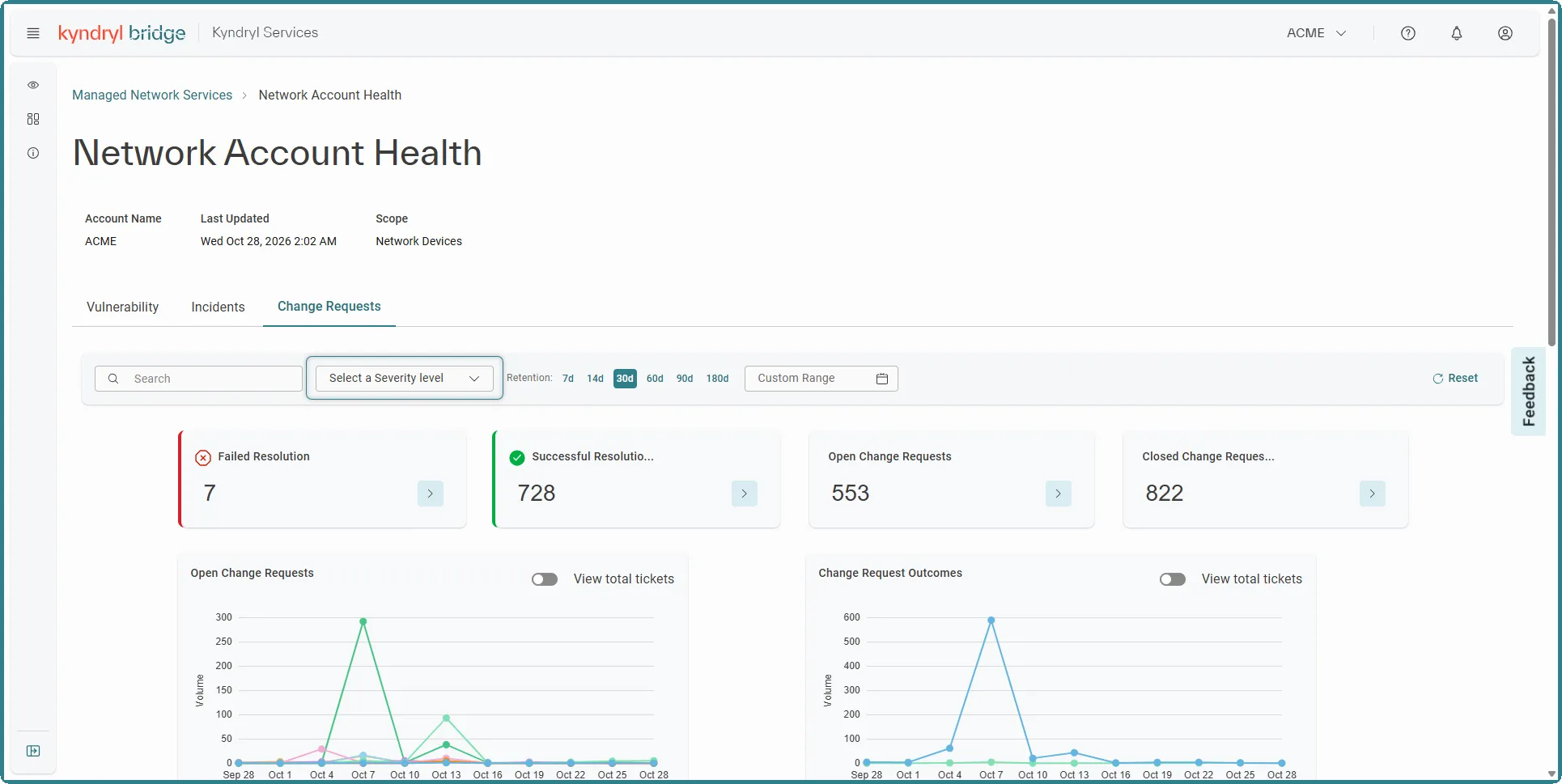
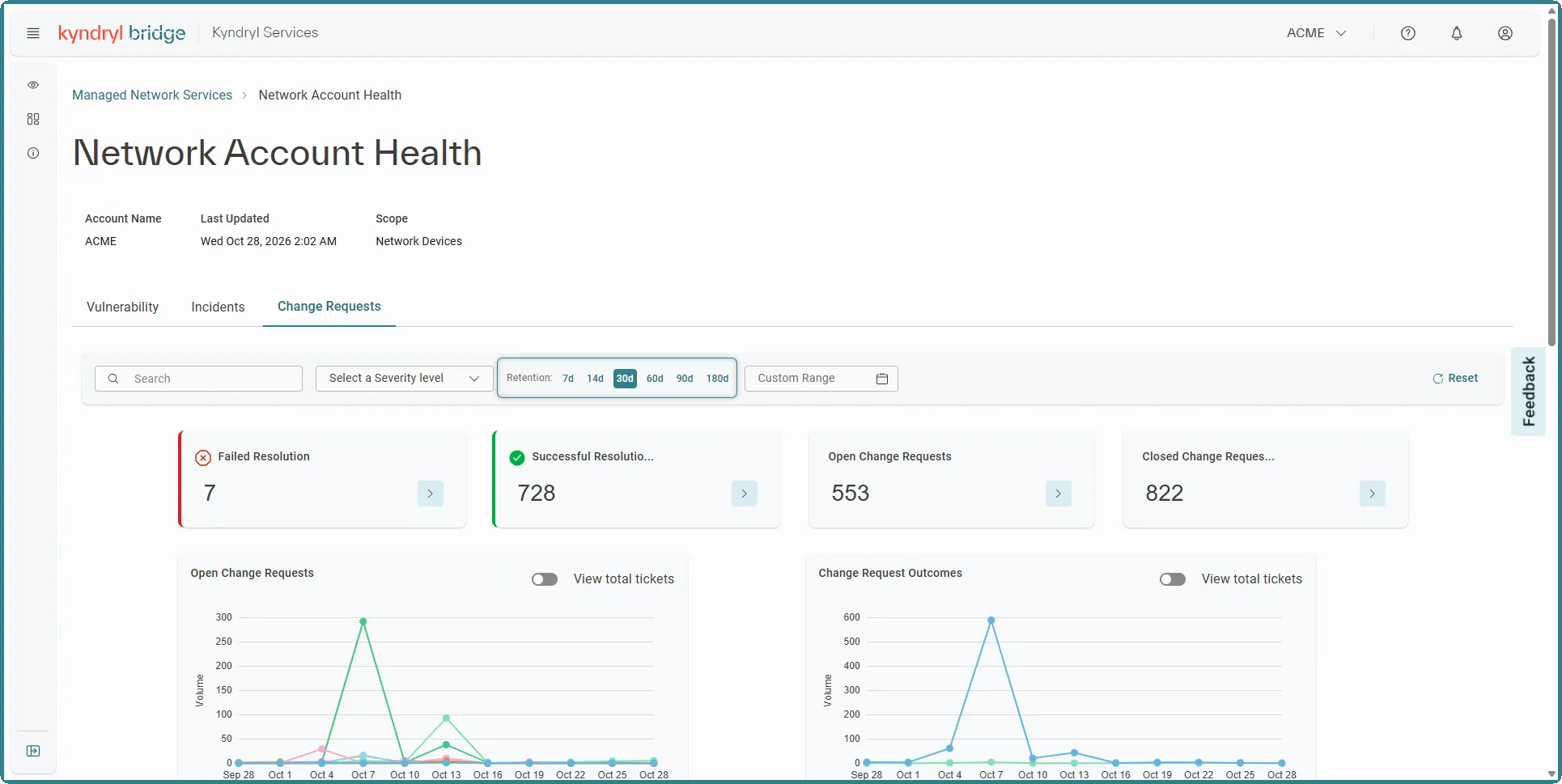
Retention
The retention period is set to 30 days as default; however, you can change it according to the period you like to filter:
- 7 days
- 14 days
- 30 days
- 60 days
- 90 days
- 180 days
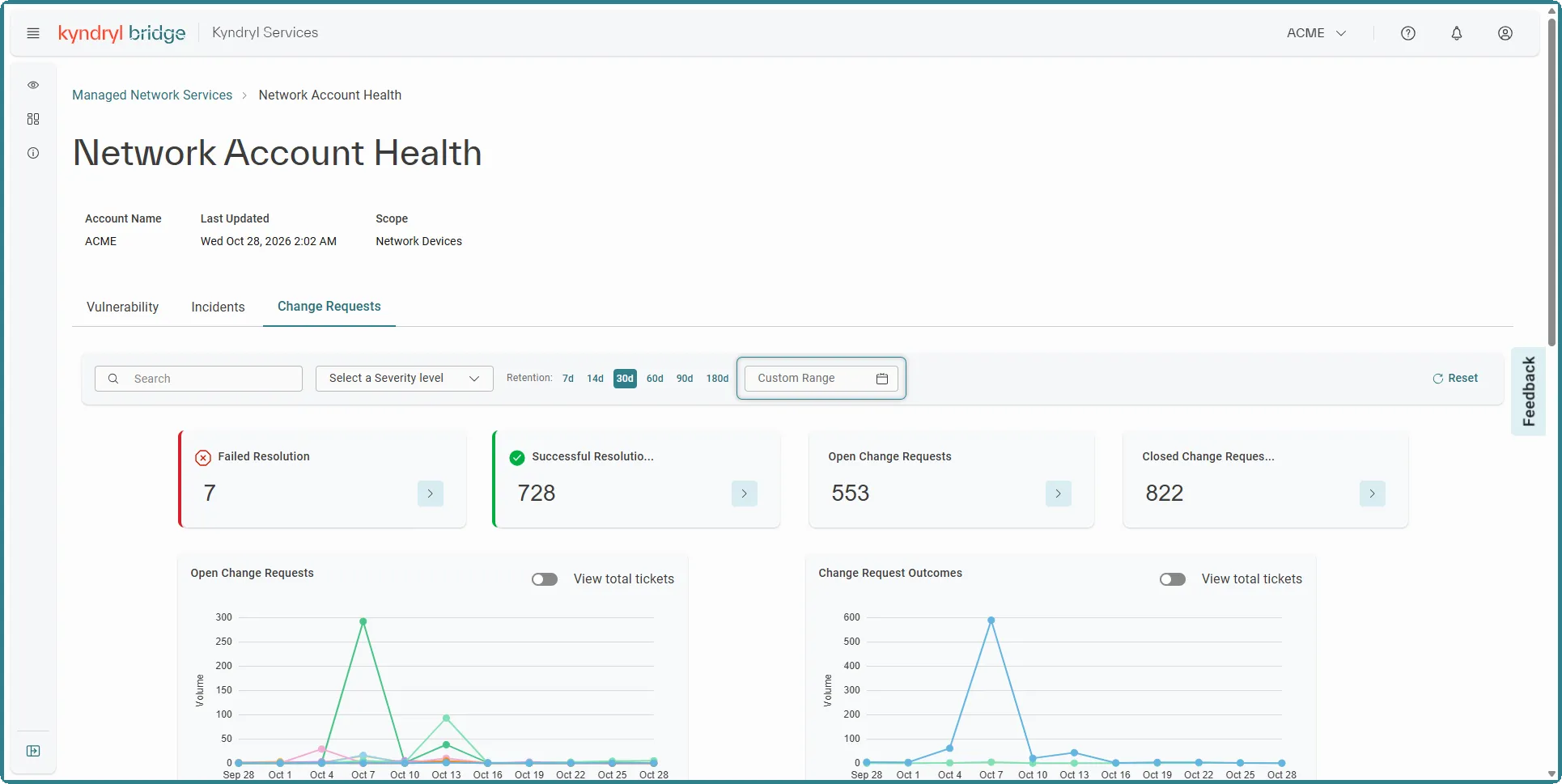
Custom Range
The Custom Range allows you to filter by specific date, month and year. Click on the calendar icon and select the start date and the end date.
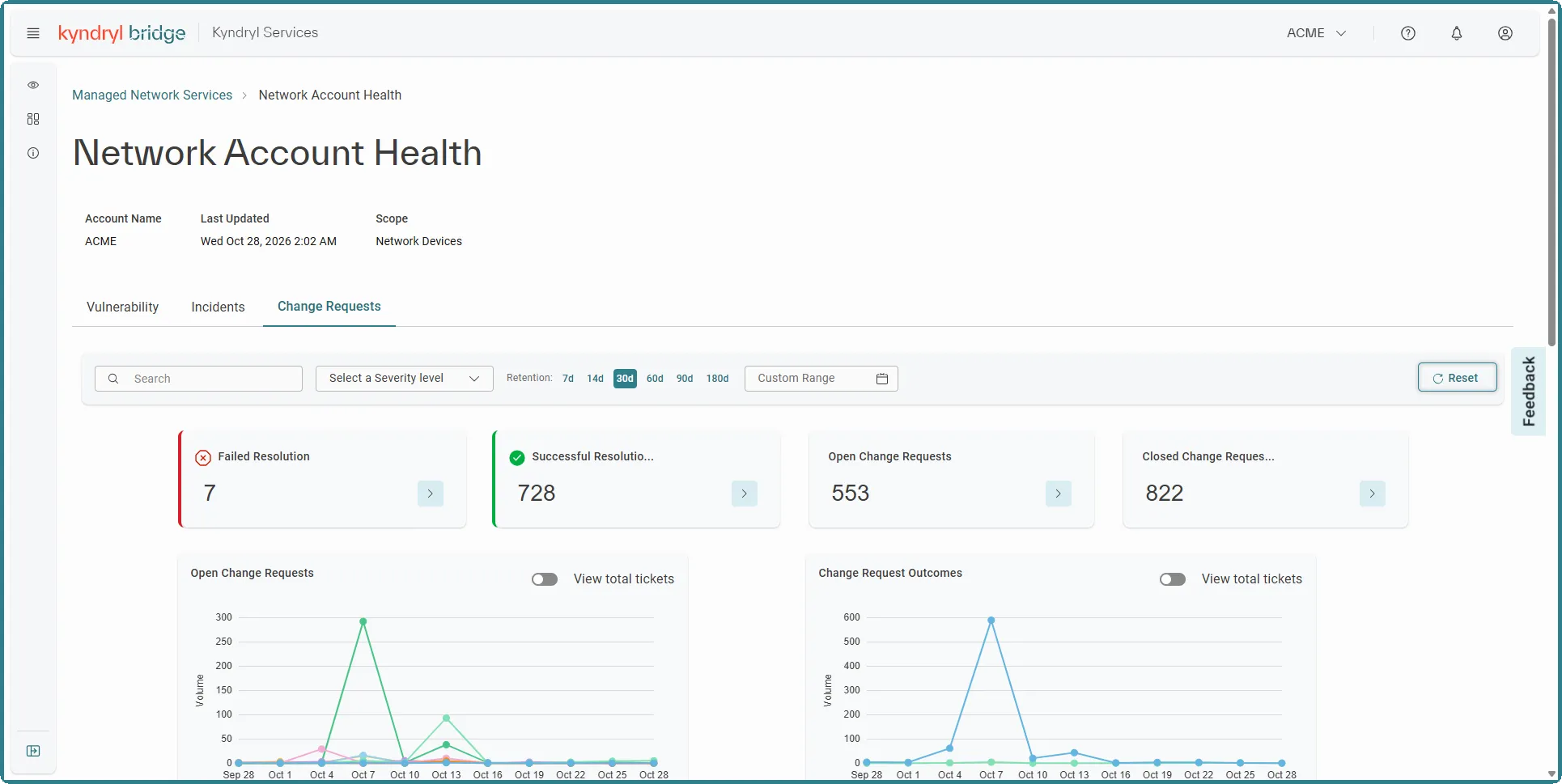
Reset
The Reset button allows you to reset all of the filters to the default settings.
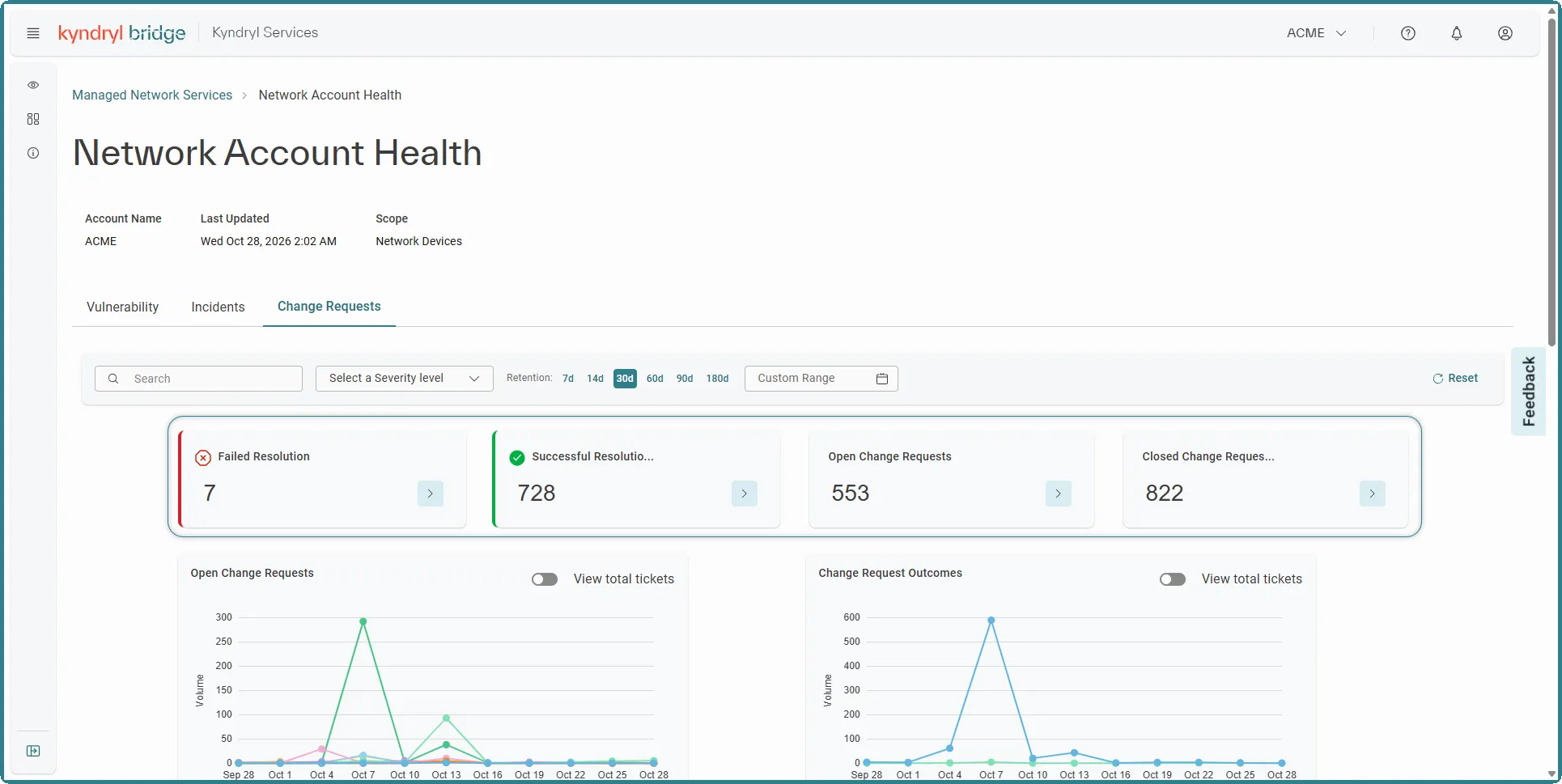
Summary cards
The summary cards provide a snapshot of key change request metrics. The cards display the number of failed resolutions, successful resolutions, open change requests and closed change requests.
- Failed Resolution: Displays the number of change requests with a failed resolution.
- Successful Resolution: Displays the number of change requests with a successful resolution.
- Open Change Requests: Displays the number of open change requests.
- Closed Change Requests: Displays the number of closed change requests.
Click the arrow on a card to access additional information in a tabular format; see Account Vulnerability Details PageAccount Vulnerability Details Page for more information.
Open Change Requests
The Open Change Requests card displays the volume of open change requests over time, grouped by the categories in the chart. The horizontal axis represents the week, while the vertical axis represents the volume of open change requests. Separate lines allow you to compare changes in volume across the displayed categories.
Element | Description |
|---|---|
Week | Displays the dates represented in the chart. |
Volume | Displays the number of open change requests. |
Categories | Represent the different classifications of open change requests: 1, 2, 3, Emergency, Expedited, No impact, Normal, and Standard. |
Legend | Identifies the color associated with each category. |
View total tickets | Provides a toggle for viewing total ticket information in the chart. |
Click the View total tickets control on the top right to show information on the Total change requests.
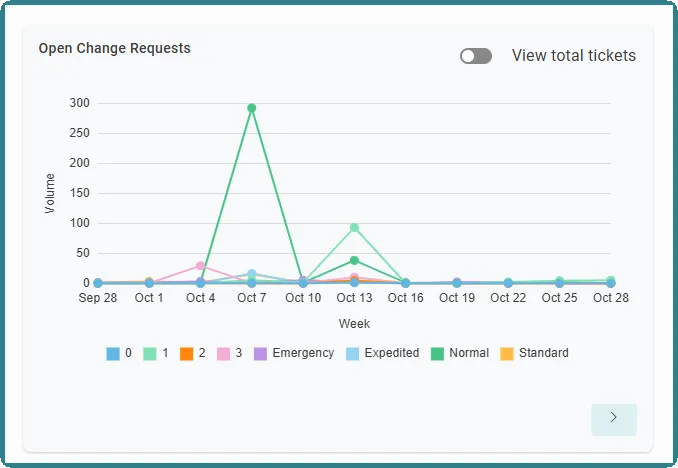
Click the arrow on the card to access additional information in a tabular format; see Account Vulnerability Details PageAccount Vulnerability Details Page for more information.
Change Request Outcomes
The Change Request Outcomes card displays the volume of successful and failed change requests over time. The horizontal axis represents the week, while the vertical axis represents the volume of change requests. Separate lines for Success and Failure allow you to compare changes in resolution outcomes across the displayed dates.
Element | Description |
|---|---|
Week | Displays the dates represented in the chart. |
Volume | Displays the number of change requests. |
Success | Represents change requests with a successful outcome. |
Failure | Represents change requests with a failed outcome. |
Legend | Identifies the color associated with each change request outcome. |
View total tickets | Provides a toggle for viewing total ticket information in the chart. |
Click the View total tickets control on the top right to show information on the Total change requests.
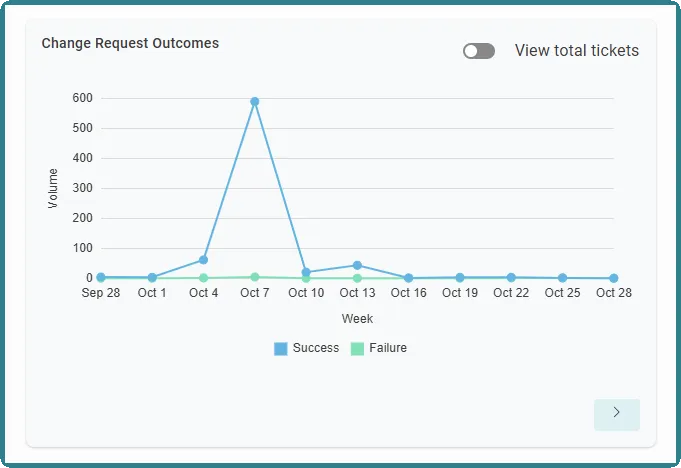
Click the arrow on the card to access additional information in a tabular format; see Account Vulnerability Details PageAccount Vulnerability Details Page for more information.
Change Request Type
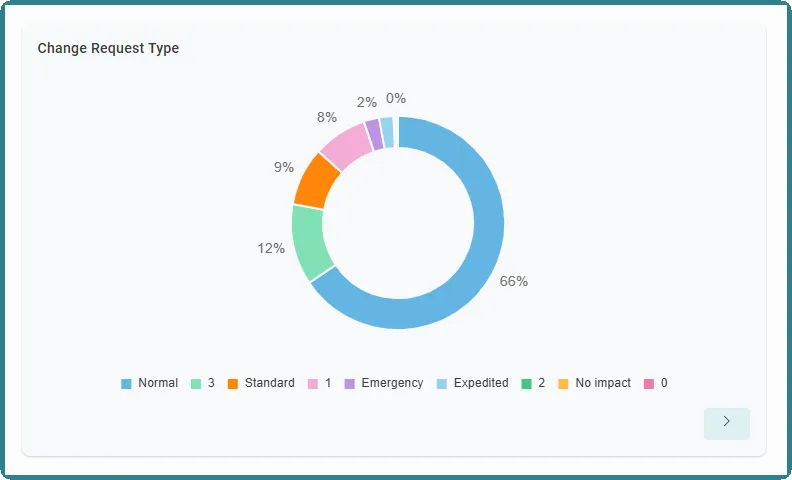
The Change Request Type card displays the percentage distribution of change requests across the categories shown in the card. The doughnut chart provides a visual comparison of the proportion of change requests associated with each category.
Click the arrow on the card to access additional information in a tabular format; see Account Vulnerability Details PageAccount Vulnerability Details Page for more information.
Change Request Success Rate
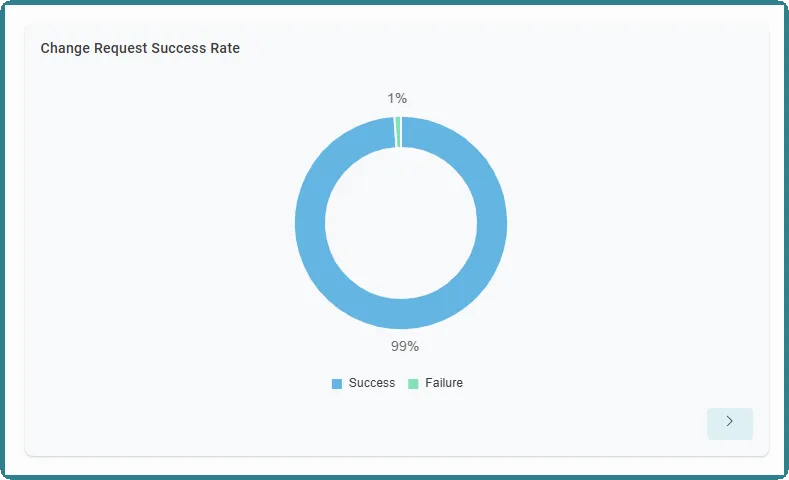
The Change Request Success Rate card displays the percentage distribution of change requests by outcome. The doughnut chart compares Success and Failure, providing a visual representation of the proportion of change requests associated with each outcome.
Click the arrow on the card to access additional information in a tabular format; see Account Vulnerability Details PageAccount Vulnerability Details Page for more information.
Change Requests by Age
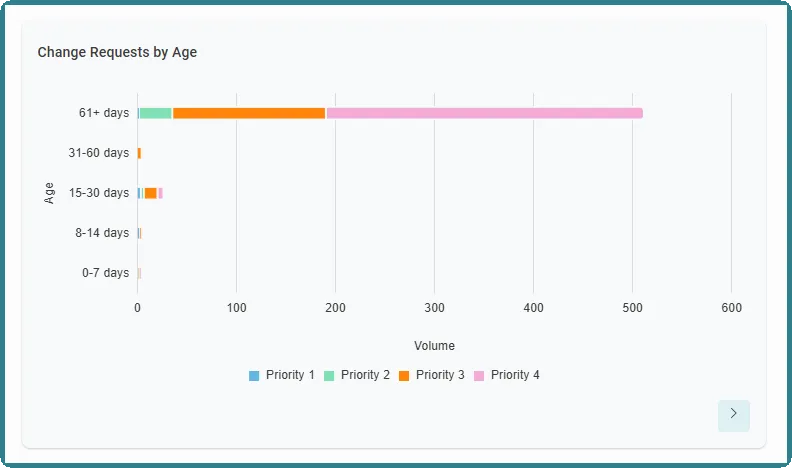
The Change Requests by Age card displays the volume of change requests grouped by age range and priority level. The horizontal axis represents the change request volume, while the vertical axis groups change requests into 0-7 days, 8-14 days, 15-30 days, 31-60 days and 61+ days. The stacked bars show the distribution of Priority 1, Priority 2, Priority 3 and Priority 4 change requests within each age range.
Element | Description |
|---|---|
Age | Groups change requests according to the number of days represented by each age range. |
Volume | Displays the number of change requests within each age range. |
Priority 1 | Represents Priority 1 change requests within each age range. |
Priority 2 | Represents Priority 2 change requests within each age range. |
Priority 3 | Represents Priority 3 change requests within each age range. |
Priority 4 | Represents Priority 4 change requests within each age range. |
Legend | Identifies the color associated with each priority level. |
Click the arrow on the card to access additional information in a tabular format; see Account Vulnerability Details PageAccount Vulnerability Details Page for more information.